
Business VoIP Buyer’s Guide UK 2026: Compare Providers, Costs, Features and Migration Risk
Choose the right business VoIP route by comparing cost, features, migration risk, AI value and support ownership.
This UK buyer guide compares cloud VoIP, Microsoft Teams Phone, SIP trunking, 3CX, AI call features, number porting, PSTN readiness and total operating cost so your business can choose a phone system with fewer surprises.
Compare route, not just price
A strong VoIP choice matches users, call flows, numbers, broadband, support and migration risk.
Choose Business VoIP by Fit, Risk and Long-Term Value
This guide helps UK businesses compare provider routes, pricing, migration complexity, AI features and support ownership before choosing a phone system.
Route Fit
Compare cloud VoIP, digital landline, SIP trunking, Teams Phone, 3CX and AI-led call platforms before shortlisting providers.
Total Cost
Check licences, calls, hardware, porting, AI, recording, analytics, support, training and connectivity together.
Migration Risk
Audit numbers, PSTN dependencies, call flows, broadband, devices and emergency processes before approving cutover.
Support Ownership
Clarify who supports phones, broadband, SIP, Microsoft Teams, 3CX, number porting and call quality after go-live.
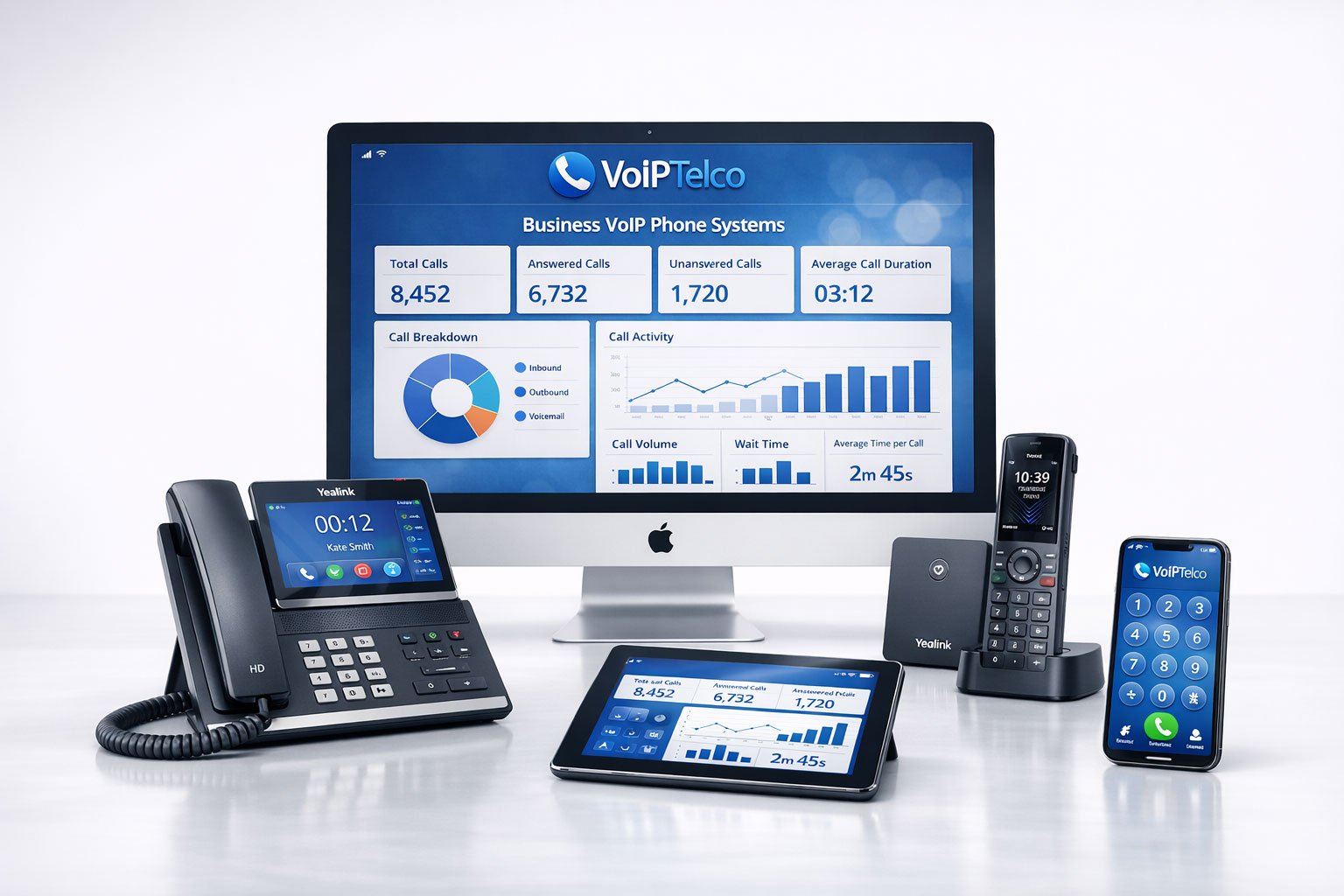
Many businesses compare headline prices but miss porting risk, Teams licensing, SIP ownership, recording controls, AI add-ons, broadband readiness and who supports the issue when calls fail.
What a Business VoIP System Includes in 2026
A business VoIP system is no longer just a cheaper way to make calls over the internet. In 2026, a serious UK business phone system normally includes number management, users, extensions, desk phones, softphones, mobile apps, call queues, IVR menus, voicemail, call recording, reporting, integrations, security controls and migration planning. The exact mix depends on whether the business chooses a fully managed cloud phone system, Microsoft Teams Phone, SIP trunking, 3CX or a hybrid route.
The main buying decision is not “VoIP or no VoIP”. The real decision is which route gives your business the right balance of control, simplicity, resilience and support. A small professional services firm may need a straightforward cloud phone system with mobile apps and voicemail-to-email. A Microsoft-led organisation may want Teams Phone. A company with an existing PBX may need SIP trunking as a bridge. A business with technical support capacity may prefer a 3CX deployment. A high-volume sales or support team may need CRM integration and AI call summaries more than desk phone hardware.
This is why the buyer journey should begin with workflow, not product names. You need to know how calls arrive, who answers them, where staff work, which numbers must be kept, which devices are still needed, what happens during an outage, whether calls are recorded, how managers review performance and how the system will change as the business grows.
The UK digital voice transition makes this more urgent. BT Business states that services relying on PSTN and ISDN need to move to IP technology before 31 January 2027, and it warns that analogue phone lines can support services such as alarms, EPOS machines, door entry systems, CCTV and fax machines. BT Business PSTN guidance.
What to Compare Before Choosing a VoIP Provider
Most VoIP comparison pages focus on provider names and monthly prices. That is useful, but incomplete. A better buyer framework compares six areas: route fit, migration safety, feature depth, total cost, support ownership and future flexibility.
The buying process should also include the people who understand operational risk. In many SMEs, telecom decisions are made by an owner or office manager, but the hidden dependencies may sit with finance, facilities, IT, reception, sales and branch teams. A rushed migration can break customer access even when the technical platform is working correctly.
A good provider should therefore ask awkward questions before quoting: how many numbers do you have, who owns them, how do calls route, how many simultaneous calls do you need, where do staff work, what happens out of hours, do you need call recording, are there compliance rules, what broadband is used, and are any analogue devices still connected?
VoIPTelco Buyer Route Table
Use this table to start narrowing the route before comparing provider names. It mirrors the practical buying conversation VoIPTelco recommends for UK SMEs.
| Business Need | Recommended Starting Route | Why It Matters |
|---|---|---|
| Replace ageing landlines | Digital landline or cloud VoIP | Keeps numbers working while moving voice to an IP-based service. |
| Support hybrid teams | Cloud phone system with mobile and desktop apps | Lets staff answer business calls from the office, home or on the move. |
| Keep existing PBX hardware temporarily | SIP trunking | Allows a phased migration from ISDN-style dependency to digital voice. |
| Use Microsoft Teams for calling | Teams Phone integration | Brings external calling into the Microsoft 365 environment. |
| Need PBX-style control | 3CX or managed PBX route | Gives more control over trunks, numbers, extensions and hosting model. |
| Improve call visibility | AI call analytics and transcription | Turns call activity into searchable insight for sales, support and management. |
Top 10 Business VoIP Provider and Route Comparison
There is no single “best” VoIP provider for every UK business. RingCentral, 8×8, Vonage, bOnline, BT Business, Microsoft Teams Phone, 3CX, Dialpad, Aircall, GoTo Connect and Voipfone all point to different buying routes. The right answer depends on whether the business prioritises simplicity, Microsoft integration, PBX control, AI insight, contact-centre workflow, number migration, UK support or low-cost hosted telephony.
| Provider / Route | Typical Strength | Buyer Gap to Check |
|---|---|---|
| RingCentral | AI-powered calls, messages and meetings in a broad UCaaS platform. | Check UK support model, contract terms, porting process and whether the feature set is more than the business needs. |
| 8×8 | Cloud phone system and unified communications in one app with business calling features. | Check whether you need full UCaaS/contact-centre depth or a simpler managed phone-system route. |
| Vonage | Unified communications, contact centre and communications API breadth. | Check whether the business needs API/contact-centre capability or a cleaner SME phone-system migration. |
| bOnline | UK small-business VoIP with AI call scoring, simple setup and SME positioning. | Check feature depth, migration support, support escalation and suitability for multi-site or regulated workflows. |
| BT Business | Incumbent UK telecom context, PSTN migration and business connectivity heritage. | Check flexibility, cloud feature depth, pricing clarity and whether a specialist VoIP provider gives more control. |
| Microsoft Teams Phone | Teams-native calling through Calling Plans, Operator Connect or Direct Routing. | Check licensing, operator choice, emergency setup, reception workflows, call recording and support ownership. |
| 3CX | PBX-style control, hosted or self-managed deployment and concurrent-call licensing. | Check hosting responsibility, SIP trunk ownership, admin skills, security patching and support model. |
| Dialpad | AI-native calling with summaries, transcripts and conversation intelligence. | Check UK number needs, compliance controls and whether AI depth is required across the whole organisation. |
| Aircall | CRM/helpdesk integrations for sales and support teams. | Check whether it fits general office telephony, reception use, PBX migration and non-sales departments. |
| GoTo Connect / Voipfone | GoTo for cloud communications breadth; Voipfone for UK hosted PBX simplicity. | Check feature fit, support depth, analytics, AI needs and total cost as users, numbers and features scale. |
RingCentral describes RingEX as AI-powered calls, messages and meetings across devices. 8×8 positions business phone tools inside a connected communications app. Microsoft explains Operator Connect as a PSTN connectivity option for Teams Phone, while its Calling Plans route makes Microsoft the PSTN carrier for the simplest cloud voice model. 3CX highlights hosted or self-managed deployment and pricing based on simultaneous calls rather than monthly user count. Dialpad and bOnline both use AI strongly in their positioning, while Aircall is particularly strong around CRM and helpdesk integrations. These differences matter because each route creates a different support, migration and cost model.
Pricing and Hidden Cost Checklist
VoIP pricing can look simple at first glance, but the real cost of a phone system usually includes more than the user licence. A fair buyer comparison should calculate total operating cost across at least the first 12 to 36 months.
| Cost Area | What to Ask | Why It Can Change the Decision |
|---|---|---|
| User licences | What is included per user and which features require a higher tier? | Cheap entry plans may exclude recording, analytics, queues or integrations. |
| Call bundles | Are UK landline and mobile minutes included, limited or subject to fair use? | High call volume can change the real monthly cost. |
| Number porting | Is porting included, managed or charged separately? | Poor porting support creates operational risk, not just extra cost. |
| Handsets and headsets | Are devices purchased, leased, rented or reused? | Device strategy affects cashflow, user adoption and call quality. |
| Call recording and AI | Are recording, transcription, summaries, retention and analytics included? | AI features may sit in premium plans or add-on bundles. |
| Setup and training | Who designs call flows, configures users and trains staff? | Self-service setup can be cheaper but riskier for complex teams. |
| Connectivity and failover | Do you need FTTP, SOGEA, leased line, router upgrades, QoS or mobile backup? | Cloud VoIP quality depends on the network path as well as the platform. |
| Support and contract terms | What are the support hours, escalation process, renewal rules and cancellation terms? | Support quality matters most when calls stop working. |
A buyer who compares only per-user pricing may miss the cost of migration, connectivity, user training and support. Conversely, a slightly higher monthly plan may be better value if it includes call routing, number management, AI insight, onboarding and stronger support.
Migration Risk Scorecard
Before signing, score your migration risk. A low-risk office with ten users, one main number and good fibre broadband is different from a multi-site business with ISDN, fax, alarms, lift lines, call recording, old handsets and complex departmental routing.
If more than two of these areas are uncertain, the business should not rush into a low-touch self-service migration. It should use a managed route with clear discovery, documentation, user preparation and cutover testing.
Cloud VoIP vs Teams Phone vs SIP Trunking vs 3CX
These four routes are often confused, but they solve different problems.
Cloud VoIP is usually the best route when a business wants a managed modern phone system with users, extensions, mobile apps, desk phones, queues, voicemail and analytics. It is usually easier for SMEs that do not want to host or manage PBX infrastructure.
Microsoft Teams Phone works well when Microsoft 365 is already central to daily work and staff are comfortable using Teams. Microsoft lists PSTN options such as Calling Plans, Operator Connect and Direct Routing. The buyer must still consider licensing, operator selection, emergency-location settings, recording, call queues, reception workflows and support boundaries.
SIP trunking is a migration route for businesses that want to keep compatible PBX hardware for now while moving voice connectivity away from legacy ISDN-style services. It can be useful where replacing the PBX immediately is not practical, but it still needs number planning, resilience and PBX support.
3CX suits businesses that want PBX-style control, flexible hosting and SIP trunk choice. 3CX states that it can be hosted or self-managed and that its pricing is based on simultaneous calls. That can be attractive for certain user-to-call ratios, but buyers must be clear about hosting, security updates, SIP provider choice and administration responsibility.
AI Features: What Actually Matters
AI is now part of many VoIP sales messages. The useful question is not whether a provider says “AI”. The useful question is which business workflow improves because AI is enabled.
Dialpad describes AI call summaries as searchable transcripts, action items and notes. bOnline describes AI call scoring that records, transcribes, summarises and rates conversations. RingCentral promotes AI call handling and routing. These features can be useful, but only when they are tied to specific outcomes: fewer missed opportunities, faster follow-up, better training, improved quality assurance, complaint visibility or easier manager review.
VoIPTelco’s view is that AI should support the communication process rather than replace good call-flow design. If calls are routed poorly, recorded without governance or reviewed by nobody, AI will not fix the underlying problem. It should be added to a well-designed phone system, not used as a substitute for one.
Compliance, Security, Emergency Calling and Recording
Business VoIP must be configured with security and compliance in mind. Phone systems may process personal data, call recordings, payment discussions, patient information, legal matters, customer complaints and commercially sensitive conversations. A buying decision should therefore include GDPR, access control, retention, recording notifications, admin permissions, emergency calling and resilience.
Emergency calling: VoIP services can support 999/112 calling, but calls depend on broadband and powered network equipment. Businesses should keep location details accurate and plan backup routes for critical users.
Recording and transcripts: decide who is recorded, why recording is needed, how long recordings are retained, who can access them and whether customers need notices. AI transcription and summaries may introduce additional governance questions.
Security: ask about MFA, admin roles, password policy, SIP security, fraud monitoring, device provisioning and how suspicious traffic is handled. Businesses should also separate everyday user access from system administration.
Accessibility: consider users who need relay services, accessible device options, hearing support or alternative contact routes. A modern phone system should be usable by staff and customers, not only technically functional.
VoIPTelco Recommendation Framework
VoIPTelco recommends choosing a business phone system through five decisions.
This framework keeps the buyer conversation grounded. Instead of asking which provider has the longest feature list, it asks which solution gives the business the safest and most useful communication setup.
Business VoIP Buyer Checklist
Use this checklist before approving a VoIP quote.
Related VoIPTelco Guides
Use these pages to move from buyer research into route-specific planning.
FAQs About Buying Business VoIP in the UK
What should a UK business compare before choosing a VoIP provider?
Compare the provider route, total monthly cost, number porting process, PSTN dependency checks, call routing, support ownership, broadband readiness, emergency calling, recording controls, AI features and contract terms before choosing a business VoIP provider.
Is the cheapest VoIP provider usually the best option?
Not always. The lowest monthly licence can become expensive if setup, handsets, call recording, analytics, number porting, support, broadband upgrades or migration help are charged separately. Businesses should compare total operating cost and migration risk, not licence price alone.
Should we choose cloud VoIP, Microsoft Teams Phone, SIP trunking or 3CX?
Cloud VoIP suits most SMEs that want a managed modern phone system. Teams Phone suits Microsoft 365-led organisations. SIP trunking suits businesses keeping compatible PBX equipment temporarily. 3CX suits organisations that want PBX-style control, hosting choice and SIP flexibility.
How does the PSTN switch-off affect VoIP buying decisions?
UK businesses should check whether any phone lines still support alarms, lifts, payment terminals, fax, door entry, broadband or legacy PBX services. PSTN and ISDN migration planning should be part of the buying decision before numbers are ported or old services are cancelled.
What hidden costs should be checked in a VoIP quote?
Check setup, number porting, handsets, headsets, call recording, AI transcription, analytics, CRM integration, support, training, broadband, failover, contract length, renewal pricing and international call charges.
Do AI VoIP features matter for small businesses?
AI features can matter when they solve practical problems such as call summaries, searchable transcripts, missed-call analysis, sentiment signals, call scoring, quality assurance and management visibility. Businesses should avoid buying AI for novelty and focus on measurable workflow value.
Can VoIPTelco help compare provider routes before migration?
Yes. VoIPTelco helps businesses compare cloud VoIP, digital landline replacement, SIP trunking, Microsoft Teams Phone, 3CX, business broadband and AI call intelligence routes based on users, numbers, call flows, compliance needs and migration risk.
What is the safest way to start a business VoIP migration?
Start with an audit of users, numbers, sites, existing providers, bills, call flows, broadband quality, handsets, PSTN-connected devices and compliance requirements. Then choose the route, configure the system, train users and port numbers only when the new setup is ready.
Get a Business VoIP Recommendation Based on Your Route, Users and Risk
Tell us your user count, current provider, numbers, locations, call flows and migration timeline. VoIPTelco will help you compare the right cloud VoIP, Teams Phone, SIP, 3CX or digital landline route before you commit to a provider.
- Compare total cost, not just monthly licence price.
- Plan number porting and PSTN dependency checks.
- Choose cloud VoIP, SIP, Teams, 3CX or a hybrid route.
- Add AI call insight, broadband and mobile continuity where needed.
